How to Download WhatsApp Status Videos to Your Gallery 2026
February 28, 2026
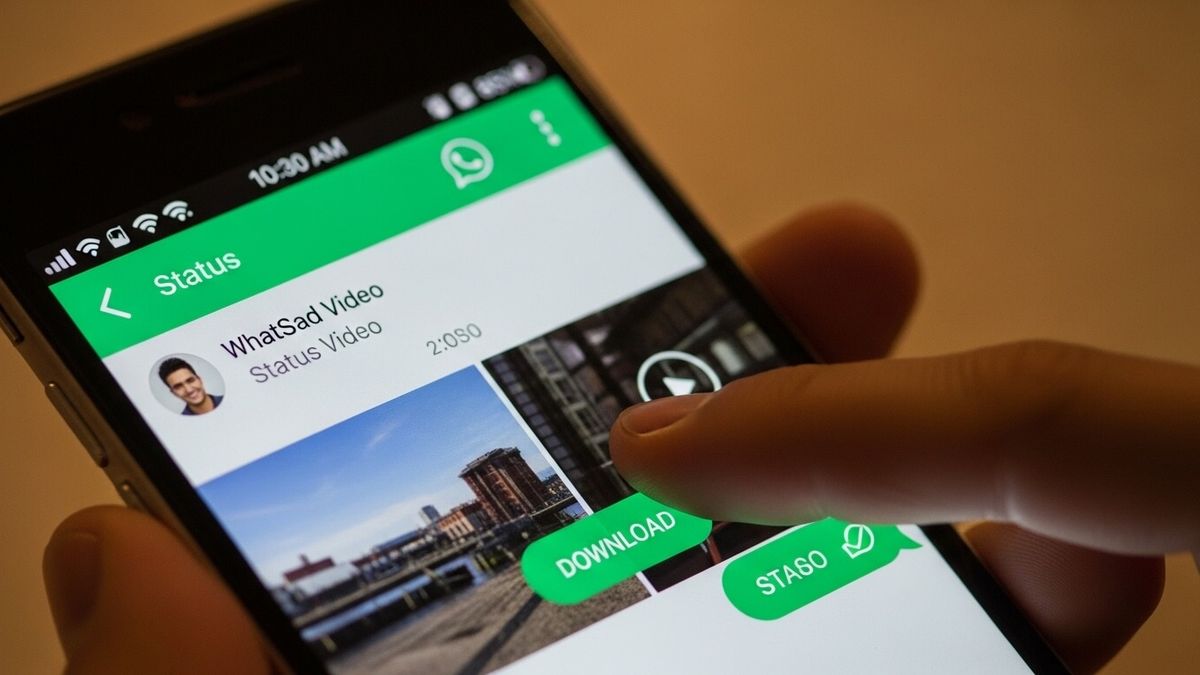
You're scrolling through WhatsApp, you tap on a contact's status, and there it is a video you absolutely have to save. Maybe it's a hilarious clip, a beautiful travel montage, a heartfelt birthday message, or a song you've never heard before. You watch it once, twice, and then it hits you: there's no download button. No save option. Nothing.
WhatsApp gives you 24 hours to view a status before it's gone forever and zero native tools to save it. It's one of the most common frustrations among WhatsApp's two billion users worldwide.
But here's the thing: there is a way. A fast, free, and completely reliable way.
Snaptube — the Android media downloader trusted by over 300 million users lets you save any WhatsApp Status video directly to your gallery in under a minute, in your choice of quality, with no technical knowledge required.
This guide covers everything you need to know. By the time you finish reading, you'll know exactly how to save any WhatsApp Status video before it disappears and you'll never miss one again.
Why WhatsApp Doesn't Have a Built-in Download Option
Before diving into the solution, it helps to understand why this problem exists in the first place.
WhatsApp Statuses were designed as an ephemeral feature content that lives for 24 hours and then vanishes. This was a deliberate decision by WhatsApp to align with the privacy expectations of its users. When someone posts a status, they're sharing it with their contacts for a limited time, not permanently publishing it on the internet. WhatsApp protects that intent by deliberately removing any native save or download button from the status viewer.
That said, while you're viewing a status, WhatsApp temporarily stores the video file in a hidden folder on your Android device. It's technically on your phone but buried so deep in the file system, with hidden file restrictions on top of that, that most users will never find it on their own.
This is the gap that Snaptube fills. It knows exactly where WhatsApp stores those temporary files, surfaces them for you in a clean interface, and lets you save them to your gallery permanently all without you having to touch a single system folder.
What You Need Before You Start
Getting started is simple. Here's everything you need:
An Android smartphone running Android 5.0 or above. Snaptube is an Android-exclusive application and is not available for iPhone.
WhatsApp installed and active on the same device, with at least one contact who has posted a status video you want to save.
The Snaptube app downloaded from the official source. Since Snaptube is not on the Google Play Store, you'll download it as an APK directly from our website — more on that in the next section.
A few minutes and this guide. That's genuinely all it takes.
⚠️ A Note on Timing: WhatsApp Status videos are only available for 24 hours after posting. Snaptube can only detect and save videos that are still within that window. Once a status expires, it cannot be recovered by any app. Don't wait if you see a video you want to save, do it now.
What Is Snaptube and Why It's the Best Tool for the Job
Snaptube is a free, feature-rich media downloader built exclusively for Android. It supports downloads from over 100 platforms including YouTube, Facebook, Instagram, TikTok, Twitter, and most importantly for this guide,WhatsApp.
Beyond the basics, Snaptube is packed with features that make it genuinely useful as an everyday app. Its built-in file manager keeps all your downloads organized without you needing a separate app. The Private Vault lets you password-protect sensitive downloads in a hidden folder that won't appear in your regular gallery. Batch downloading lets you save multiple videos at once rather than repeating the process one at a time. And Night Mode makes late-night browsing easy on the eyes.
Perhaps most importantly: Snaptube requires no root access. You don't need to modify your device or grant any deep system permissions. Install it, open it, and it works.
How to Install Snaptube on Your Android Device
Because Snaptube is not available on the Google Play Store, you'll install it via APK — a standard Android installation file, the same format as apps on the Play Store, just distributed directly rather than through Google's marketplace. The process takes about two minutes.
⚠️ Safety First: Only download Snaptube from our official website. The APK we provide is scanned, verified, and safe. Downloading from random third-party sites carries real risks — counterfeit versions of popular apps are a common way malware gets onto devices. Stick to the official source.
Step 1 — Download the Official Snaptube APK
Visit our official download page and tap the Download Snaptube button. The APK file will download to your device just like any other file you'll see it appear in your notifications when it's done.
Step 2 — Enable Installation from Unknown Sources
Android blocks APK installations by default as a security measure. To allow the install, go to Settings → Security and look for Install Unknown Apps or Allow from This Source (the exact wording depends on your Android version). Find your browser in the list and toggle the permission on.
On older Android versions (below 8.0), go to Settings → Security → Unknown Sources and enable it.
Step 3 — Open the APK and Install
Tap the downloaded APK file from your notifications or find it in your Downloads folder via your file manager. Tap Install when prompted. The installation takes just a few seconds. Once it's done, tap Open and Snaptube is ready to use.
⬇ Download Snaptube Free Verified safe. No account required. Android 5.0 and above.
How to Download WhatsApp Status Videos — Step by Step
With Snaptube installed, you're ready to save your first WhatsApp Status video. Here's the full process from start to finish.
Step 1 — Open WhatsApp and Watch the Status Video
Launch WhatsApp and tap the Status tab at the top of the screen. You'll see a list of your contacts who have active statuses. Tap on the contact whose video you want to save and watch it — even just a few seconds of playback is enough. This step is essential. WhatsApp only stores the video temporarily on your device while it's being viewed, and Snaptube needs that temporary file to be present in order to detect it.
Step 2 — Open Snaptube and Tap the WhatsApp Shortcut
Once you've watched the video, switch over to Snaptube. On Snaptube's home screen, you'll see a row of platform icons — YouTube, Facebook, Instagram, and others. Tap the WhatsApp icon. Snaptube will immediately scan your device and compile a list of all the WhatsApp Status videos you've recently viewed that are still within the 24-hour active window. No link copying, no manual file searching — Snaptube does all of this automatically.
Step 3 — Find Your Video in the Snaptube Status Feed
Browse through the status videos Snaptube has detected. You'll recognize them from the thumbnails. Find the video you want to download and tap the red download button directly beneath it. A quality selection menu will pop up instantly.
Step 4 — Select Your Preferred Quality and Download
Choose how you want to save the video. Snaptube gives you multiple options:
- HD (720p) — The best visual quality, ideal for rewatching or resharing
- SD (360p) — A smaller file that saves storage space while keeping the video watchable
- MP3 — Audio only, extracted from the video, perfect if the status was a song
- M4A — Another audio format, slightly higher quality than MP3 for voice or music content
Tap your preferred format. The download begins immediately and completes in seconds.
Step 5 — Your Video Is Saved — Open Your Gallery to Confirm
Once the download finishes, open your phone's Gallery or Photos app. Navigate to the Snaptube folder and you'll find your saved video waiting there — in the quality you selected, ready to watch offline, share, or keep permanently long after the original status has expired and disappeared from WhatsApp.
✅ Quick Reminder: WhatsApp Status videos expire after exactly 24 hours from the time they were posted. Once a status expires, Snaptube — or any other tool — cannot recover it. If you see a video you want to keep, save it the moment you spot it.
Where Are Downloaded Videos Saved?
All videos downloaded through Snaptube are saved in a dedicated Snaptube folder in your device's internal storage. This folder is automatically created the first time you download something.
You can access your downloaded videos in three ways:
Through the Gallery app — Open your phone's default Gallery or Photos app. Look for an album named "Snaptube." All downloaded videos will appear here, organized by date.
Through Snaptube's built-in file manager — Open Snaptube and tap the Downloads icon at the bottom of the screen. You'll see every file you've downloaded, organized neatly, with options to rename, move, delete, or share them.
Through your phone's file manager — Navigate to Internal Storage → Snaptube → Videos. The files are standard MP4 files, compatible with any video player or sharing platform.
If you'd rather keep certain videos private and out of your regular gallery, Snaptube's Private Vault feature lets you move sensitive downloads into a password-protected hidden folder that won't appear in your gallery app. It's a simple but genuinely useful layer of privacy.
Common Problems and How to Fix Them
Snaptube Isn't Showing My WhatsApp Status Videos
This almost always comes down to one of two things. Either you haven't viewed the status in WhatsApp yet — Snaptube can only detect videos that WhatsApp has already stored on your device, which only happens during playback — or the status has already expired. Go back to WhatsApp, view the status by tapping on it, and then return to Snaptube and refresh the WhatsApp status feed.
The Download Fails Partway Through
Check your internet connection first. A weak or unstable connection is the most common cause of interrupted downloads. If your connection is fine, try closing Snaptube completely, reopening it, and attempting the download again. If the problem persists, check our website for the latest version of Snaptube — an outdated version can occasionally cause compatibility issues.
I Can't Find the Downloaded Video in My Gallery
Open Snaptube and tap the Downloads icon. Your video will be there even if your gallery app hasn't indexed it yet. If you want it to appear in your gallery, try opening your phone's file manager, navigating to the Snaptube folder, and opening the video from there — this usually triggers your gallery to index and display it.
The APK Won't Install
Make sure you've enabled installation from unknown sources for your browser (see the installation steps above). Also ensure you have enough free storage space — the Snaptube APK is small, but your device needs some headroom for the installation process. If you're still having trouble, download the APK again from our website in case the first download was incomplete.
Snaptube vs. Other Methods
There are a handful of other ways people try to save WhatsApp Status videos. Here's how they actually hold up:
The hidden file manager method involves navigating to WhatsApp's hidden cache folder on your device and manually copying the video file. It works on some Android versions but not others, requires enabling hidden file visibility, and the folder path has changed across WhatsApp updates — making it unreliable and frustrating for non-technical users.
Screen recording is the most accessible fallback — virtually every modern Android device has a built-in screen recorder. But the result is a recording of your screen, not the original video file. You lose resolution, the aspect ratio is often off, and any screen notifications or UI elements that pop up during recording will appear in the saved video. It's a poor substitute for the real file.
Other dedicated status saver apps from the Play Store exist, but most of them are plastered with intrusive ads, require excessive permissions, or simply don't work as reliably as Snaptube. Many haven't been updated to keep pace with WhatsApp's evolving file structure.
Snaptube sidesteps all of these problems. It gives you the original video file, in your choice of quality, through a clean and simple interface, with no ads in the download process and no unnecessary permissions. It's not a close competition.
Frequently Asked Questions
Will the person know I downloaded their WhatsApp Status video?
No. Snaptube saves the video silently from the temporary file WhatsApp stores on your device during playback. The other person receives no notification of any kind that you have saved their video. The only thing WhatsApp records is that you viewed the status — which happens regardless of whether you download it or not, and is a standard WhatsApp feature.
Is Snaptube legal to use?
Yes. Snaptube is a legal media downloader. Downloading a WhatsApp Status video for personal use is generally permissible in most countries. Where things get legally complex is if you publicly redistribute, publish, or commercially use someone else's content without their permission — that can infringe on copyright. Use downloaded content responsibly and with respect for the original creator.
Does Snaptube work without an internet connection?
You need an internet connection to use most of Snaptube's features, but downloading WhatsApp Status videos is an exception in a sense — the video file is already temporarily stored on your device from WhatsApp's playback, so Snaptube is essentially moving a local file rather than downloading from the internet. However, a stable connection is still recommended for the best experience.
Can I download WhatsApp Status videos on iPhone?
Snaptube is an Android-only application and is not available for iOS. iPhone users looking to save WhatsApp Status videos will need to explore iOS-specific tools or shortcuts, which work differently due to Apple's more restrictive file system.
What happens if I uninstall Snaptube — will my downloaded videos disappear?
No. Videos downloaded through Snaptube are saved as standard files in your device's internal storage. Uninstalling Snaptube does not delete them. They will remain in the Snaptube folder in your internal storage and will continue to be accessible through your gallery or file manager.
Can I download a WhatsApp Status video after it has expired?
No. Once a WhatsApp Status video expires after 24 hours, WhatsApp permanently deletes it from its servers and removes the temporary local file from your device. There is no way for any app — including Snaptube — to recover an expired status. The only solution is to download it before the 24-hour window closes.
Is there a limit to how many status videos I can download?
No. Snaptube places no cap on the number of downloads. You can save as many WhatsApp Status videos as you like, limited only by the available storage space on your device.
Conclusion
WhatsApp Status videos are fleeting by design — here for 24 hours and then gone. But with Snaptube, you're no longer at the mercy of that countdown. Any video worth saving can be downloaded in seconds, in full quality, directly to your gallery — ready to watch offline, share with others, or hold onto long after the original has disappeared.
The process is simple: view the status in WhatsApp, open Snaptube, tap the WhatsApp shortcut, select your video, choose your quality, and download. That's it. No technical steps, no hidden file navigation, no compromises on quality.
If you haven't installed Snaptube yet, there's no reason to wait. It's free, it's safe, and it works. Download it now from the official link below and never miss a WhatsApp Status video again.
📲 Download Snaptube Free — Official APK Free forever. No login required. No root needed. Android 5.0 and above.
Download Snaptube for Free
Get the #1 video and music downloader for Android. Safe, fast, and no registration required. Experience HD downloads today.